
Working from home sounds comfortable — until long hours start taking a toll on your back neck and focus.
A poorly chosen chair doesn’t just cause discomfort. It slowly reduces productivity concentration and long-term health.
If you want a home office that truly supports comfort and focus this guide will help you choose the right office chair based on how you work not marketing buzzwords.
This article complements our complete home office setup guide and dives deeper into the single most important piece of furniture in any workspace.
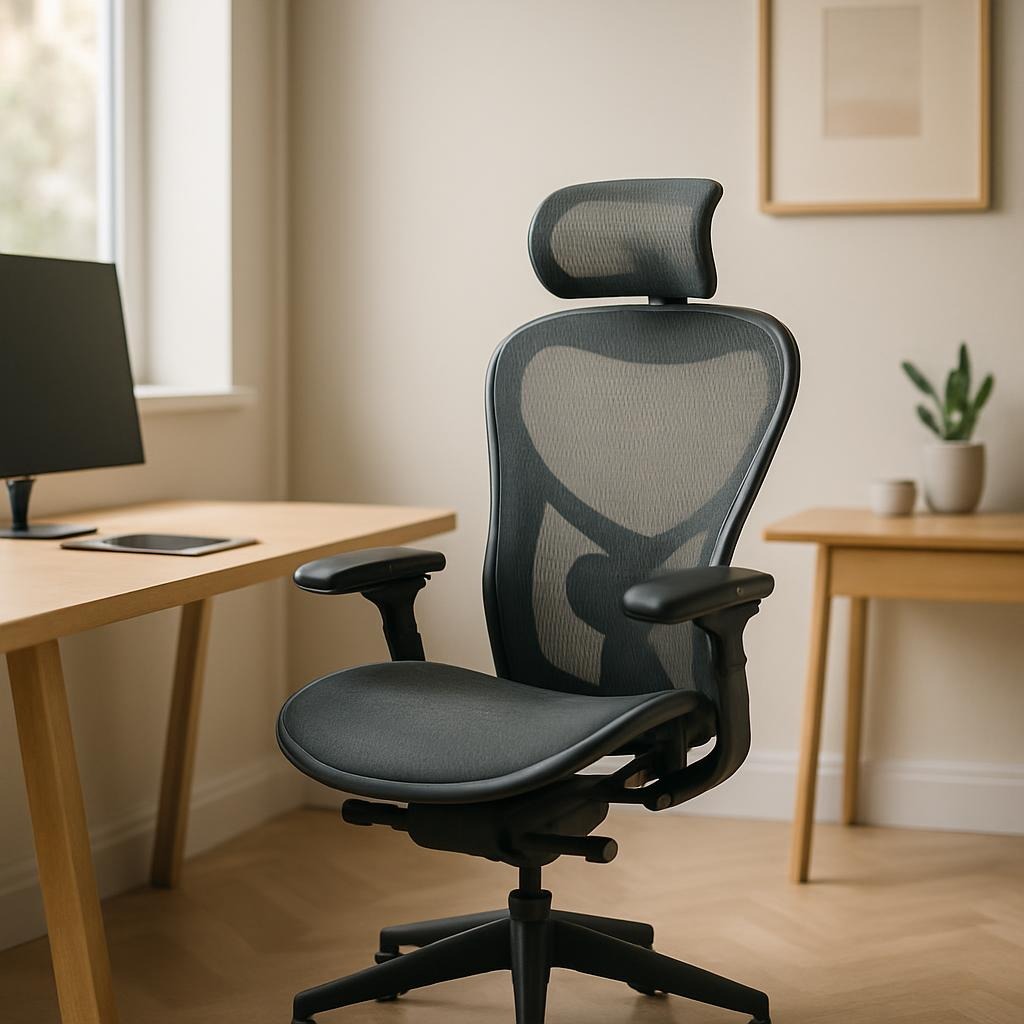
Why Your Office Chair Matters More Than Your Desk
Many people focus on desk size monitor arms or lighting first.
But your chair determines how your body interacts with everything else.
A good chair helps you:
- Maintain neutral spine posture
- Reduce pressure on hips and lower back
- Stay focused longer without fatigue
- Avoid chronic pain from long work sessions
If your chair is wrong no desk setup can fully fix it.
If you’re planning to upgrade your chair for long work hours,
it helps to start by looking at ergonomic chairs designed for proper posture and daily comfort.
You can explore some well-reviewed ergonomic office chairs for home office use on Amazon.
Step 1: Start With How You Actually Work
Before looking at features ask yourself these questions:
- How many hours per day do I sit
- Do I lean forward a lot or sit back
- Do I work focused blocks or long continuous sessions
- Do I shift positions often
Your answers determine what kind of chair support you need.
Someone working 2–3 hours a day has different needs than someone sitting 8–10 hours daily.
Step 2: Non-Negotiable Features to Look For
Adjustable Seat Height
Your feet should rest flat on the floor with knees roughly level with hips.
If height isn’t adjustable posture compensation begins immediately.
Lumbar Support (Real Lumbar Support)
Look for adjustable lumbar support not just a curved backrest.
Your lower back should feel supported without being pushed forward aggressively.
Chairs with adjustable lumbar support help maintain a neutral spine during long sitting sessions,
especially for people who work at a desk most of the day.
If you want to see examples, here are some office chairs with adjustable lumbar support on Amazon.
Seat Depth Adjustment
There should be a small gap between the seat edge and the back of your knees.
Too deep causes circulation issues too shallow reduces thigh support.
Armrest Adjustability
At minimum armrests should adjust up and down.
Ideally they also move forward backward or pivot to support natural typing posture.
Step 3: Backrest Type — Which One Fits You
Mid-Back Chairs
Best for shorter sessions or compact spaces
Less visual bulk but limited upper-back support
High-Back Chairs
Better for long hours and relaxed posture
Supports shoulders and upper spine more consistently
For people working long hours or who prefer leaning back while focusing,
a high-back ergonomic chair often provides more consistent upper-body support.
You can check some high-back office chair options commonly used in home offices here.
Mesh vs Cushion
Mesh improves airflow and temperature control
Cushioned chairs feel softer but vary greatly in long-term support
There is no universal winner — comfort depends on body type and sitting habits.
Step 4: Weight Capacity & Build Quality (Often Ignored)
Check:
- Maximum supported weight
- Base material (metal preferred over plastic)
- Smooth rolling casters suited to your floor
A chair that flexes or creaks breaks focus and confidence fast.
Step 5: Match the Chair to Your Desk & Monitor Setup
Your chair does not exist in isolation.
Seat height affects:
- Desk height comfort
- Keyboard angle
- Monitor eye level
If you’re unsure how everything should align refer back to the home office setup for comfort and focus guide where desk chair and monitor positioning are explained together.
Step 6: Budget Smart — Where to Spend and Where Not To
You don’t need the most expensive chair.
But cutting corners on adjustability is rarely worth it.
Spend more on:
- Adjustability
- Lumbar support quality
- Warranty
Spend less on:
- Aesthetic gimmicks
- Trendy designs without ergonomics
Think in terms of cost per hour of sitting not sticker price.
Common Mistakes to Avoid
- Choosing looks over ergonomics
- Buying a gaming chair for work posture
- Ignoring seat depth and lumbar adjustment
- Assuming one chair fits everyone
These mistakes lead to discomfort even with “popular” chairs.
Final Recommendation: Choose Support Not Hype
If you’re ready to upgrade your setup,
choosing a reliable ergonomic chair can make a noticeable difference in comfort and focus.
Here are a few trusted ergonomic office chairs suitable for home office work.
The best office chair is the one that disappears while you work —
no pain no pressure no constant adjustment.
If your chair supports your body correctly everything else in your workspace performs better.
For a full system-level approach including desk height monitor position lighting and layout explore the complete home office setup guide for comfort and focus.
Leave a Reply